

Dream It. See It.
Transform your goals into daily habits with guided focus, mindfulness, and progress tracking.


THRIVE TRACKER
Become It.
Focus


Track
Plan
With Purpose
Your Progress


Your Mind


HOW IT WORKS
Your Journey in 4 Simple Steps

1
Create Account
Sign up in seconds and create your account

Verify your email to secure your account.
Verify Account
2

3
Set Your Goal
Choose your goal and set your intention

Begin your journey and build your best life.
Start Your Journey
4
BUILT FOR YOUR BEST LIFE
Small Steps. Big Changes.

Start Your Day Focused
Begin each day with clarity and a positive mindset.


Reset Your Mind.
Reclaim Your Focus.
Track your steps and watch small actions create big results
Progress Becomes Powerful
Take mindful breaks and reset your mental clarity.


One Aligned Goal At A Time
Focus on what matters most and avoid overwhelm.
Dream It. See It. Become It.
Visualize your dream life and make it your reality.


POWERFUL FEATURES
Everything You Need to Thrive
Dashboard Overview
View your daily focus
Start with insprations
See progress at a glance


Goal Tracking
Create aligned goals
Break into steps
Stay on track daily
Daily Tasks
Manage your tasks
Set priorities
Build consistent habits


Progress Analytics
Track your progress
View insights
Celebrate wins
Journal & Mood Tracking
Vision Board
View your daily focus
Track Streaks
See progress at a glance
View your daily focus
Track Streaks
See progress at a glance


Create your account
Start designing a life that feels aligned, intentional, and fully yours.
Select "Sign Up" at bottom of screen.
Fields:
First name
Last name
Email
Time zone
Password
Confirm password
Add your profile picture to personalize it!
Read & Select: I agree to the Privacy Policy and Terms and Conditions


Verify your account
Enter the code sent to your email to continue
Check your inbox and spam folder
Select Verify
Did not receive a code? Resend

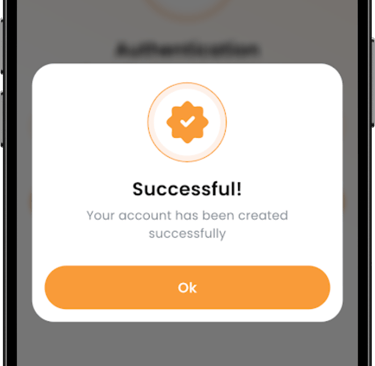
You are in!
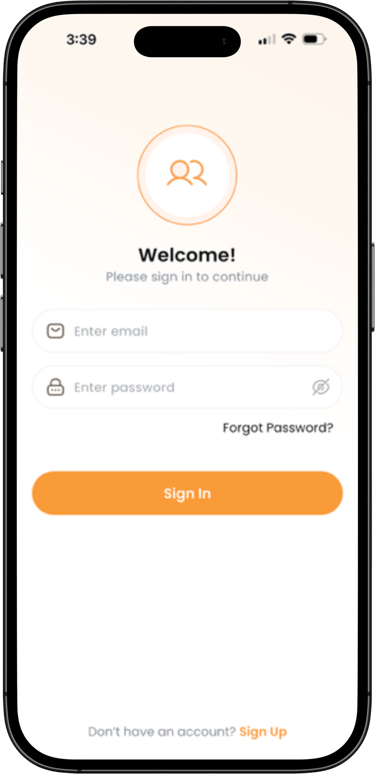
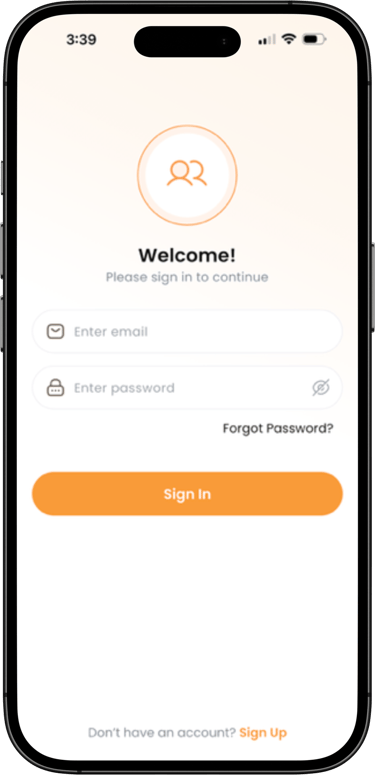
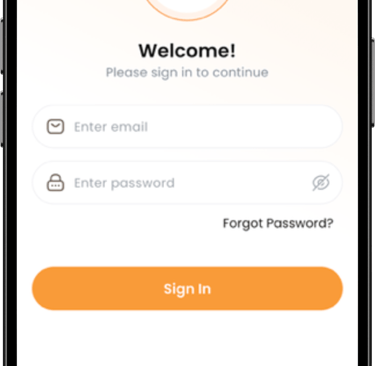
Sign In or Create your account
Continue building your clarity, one intentional step at a time.
Enter email
Enter password
Forgot Password? (Enter email on next sreen)
Sign In
New here? Create your account
Make What Matters Happen.
Speak It. Believe It. Live It.
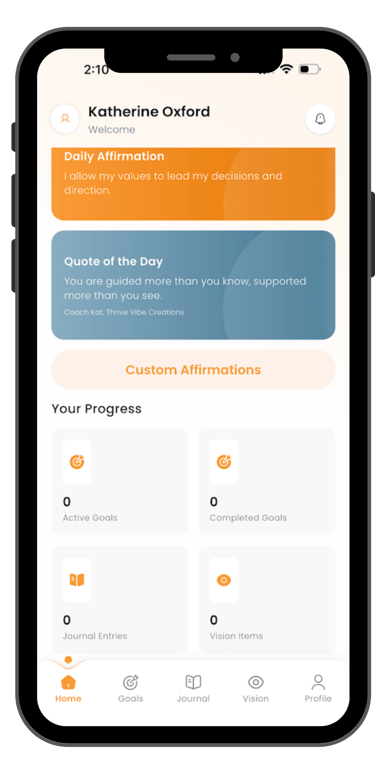
Home Screen
Your Home screen will appear first.
Daily Affirmation
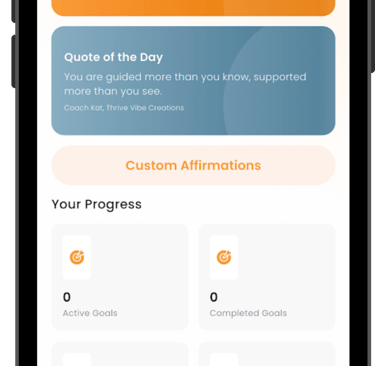
Quote of the Day
Custom Affirmation (Subscription required)
Your Progress:
Total Active Goals
Total Complete Goals
Total Journal Entries
Total Vision Entries
Tabs along the bottom will take you to each section listed in Your Progress, plus your Account Profile.
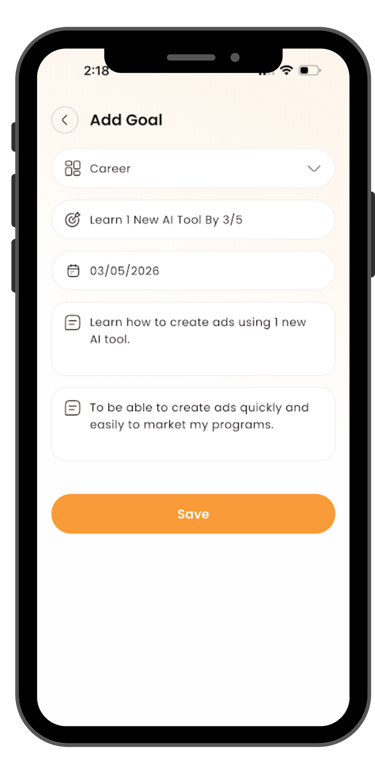
Add a Goal
Select the GOALS tab from the HOME screen.
Select a Category
Enter a short meaningful goal Title
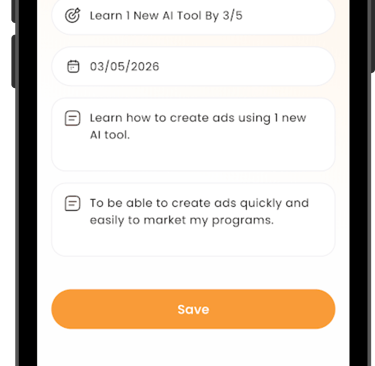
Select Due Date
Enter a more detailed description
Enter why this is important to you
Save
EDIT (3 dots) to update a goal any time
**Create up to 5 goals with trial subscription and unlimited with subscription + notifications and reminders! **
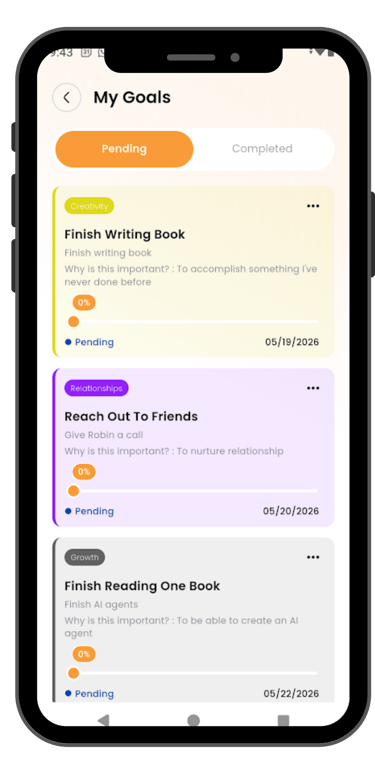
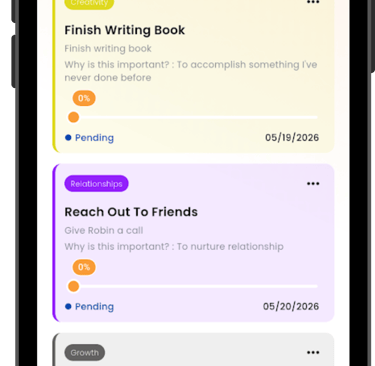
Pending Goals
Pending goals are active goals. You will see them in multiple ways:
Touch "Active Goals" on the Home tab under "Your Progress"
On Goals tab
Select "See All" from the Goals tab. They will appear with all completed coals.


Weekly Goals Achieved
** Available only with subscription. **
This shows what percentage of your goals you fully completed during the week.
How it’s calculated:
Divide the number of completed goals by the total number of goals, then multiply by 100.
Example: If you completed 2 out of 5 goals:
2 ÷ 5 × 100 = 40% Weekly Goals Achieved
Weekly Goal Activity
Go to the Journal tab.
Select the “+” sign to create a new entry.
Read the Reflection Prompt, choose Get a Different Prompt, or skip the prompt and begin writing.
Journal your thoughts, feelings, or reflections in the space provided.
Select the mood that best reflects how you’re feeling.
Select Save to complete your entry.
EDIT your journal entry any time.


Journal & Mood Tracker
** Available only with subscription. **
This shows how much progress you made across all of your goals during the week.
How it’s calculated:
Add together the progress percentage for each goal, then divide by the total number of goals.
Example: If you have 3 goals at 100%, 50%, and 25% progress:
(100 + 50 + 25) ÷ 3 = 58% Weekly Goal Activity
Pause. Notice. Reflect.
Envision Your Life Ahead


Vision Board
Custom Affirmations
Go to the Vision tab.
Select the “+” sign to create a new vision.
Enter a vision name.
Enter a vision description.
Upload an image
Select image from your photo gallery or take a new picture. You will have to set phone permissions.
Save your vision.
EDIT your vision any time.
**Create up to 3 vision board entries with trial subscription and unlimited with subscription. **
** Available only with subscription. **
From Home screen, select Custom Affirmations.
Select the “+” sign to create a custom affirmation.
Save
EDIT your affirmation any time.


Goals Give Dreams Direction.
BRAND
Thrive Tracker™ is part of the Thrive Vibe Creations® family of personal-growth tools designed to help individuals live with passion, purpose, and clarity. Thrive Vibe Creations® is committed to empowering people in midlife with supportive, uplifting resources that make meaningful change accessible.
CONTACT
UPDATE NOTIFICATIONS
Kat@thrivevibecreations.com
© 2026 Thrive Vibe Creations®. All rights reserved. |
Terms & conditions - Website
TRADEMARK NOTICE
Thrive Tracker™ and TrackYourThrive.com™ are trademarks of Thrive Vibe Creations. All brand names, logos, and associated design elements are the exclusive property of Thrive Vibe Creations® and may not be used without permission.
Stay inspired with tips and updates